
Description
Professional Services: ScreenBeam 1100 / 1100 Plus Setup, Configuration & Basic Training
ScreenBeam 1100 / 1100 Plus Setup, Configuration & Basic Training Service
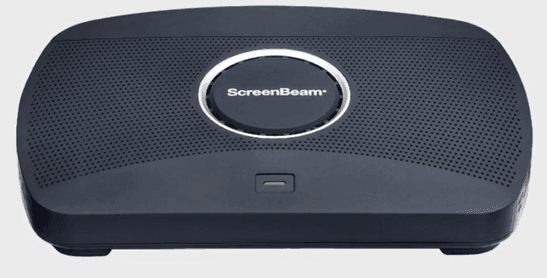
Get your ScreenBeam 1100 or 1100 Plus professionally set up, connected, configured, updated, and ready for daily use. Ideal for offices, meeting rooms, training rooms, classrooms, and shared presentation spaces.
Setting up a wireless presentation system can be simple when the device, network, users, and display environment are properly configured from the start.
Our ScreenBeam 1100 / 1100 Plus Setup, Configuration & Basic Training Service helps businesses deploy their ScreenBeam device correctly, connect it to the required network, update its firmware, and guide users on how to connect from mobile phones, tablets, and notebooks.
This service is suitable for companies that want a smooth wireless presentation experience without spending unnecessary time troubleshooting setup, connectivity, firmware, or basic usage issues.
What This Service Includes
1. ScreenBeam Setup & Connection
We will help set up and connect your ScreenBeam 1100 or 1100 Plus to the required display and operating environment.
2. Wired / Wireless Network Configuration
We will configure the ScreenBeam device for the applicable wired or wireless network connection based on your site requirements.
3. Firmware Upgrade
We will check and upgrade the firmware where applicable to help ensure the device is running on the appropriate software version.
4. Device Connection Configuration
We will assist with basic connection setup for supported:
- Mobile phones
- Tablets
- Notebooks
- Compatible user devices
5. Basic Overview Training Session
We will provide a brief training session covering the essential usage and operation of the ScreenBeam device.
Training topics include:
- Introduction to ScreenBeam
- Physical operation of the device
- Connectivity and compatibility overview
- Basic user connection guidance
- Questions and answers session
Who This Service Is For
This service is suitable for:
- Businesses setting up wireless presentation in meeting rooms
- Schools, training centres, and seminar rooms
- Offices using shared presentation displays
- Teams that want users to present without HDMI cable dependency
- Companies that need basic guidance before handing the system to staff
Key Benefits
Faster Deployment
Reduce trial-and-error setup and get the ScreenBeam device ready for use faster.
Better Meeting Room Experience
Help users connect more confidently from supported devices during meetings and presentations.
Reduced IT Confusion
Your team receives a basic overview of how the device works, how to connect, and what to check when using it.
Proper Initial Configuration
Network and firmware setup are handled professionally to reduce common avoidable issues.
Cleaner Handover
The basic training session helps ensure users understand the core operating steps before using the device independently.
Service Scope
This service covers:
| Area | Included |
|---|---|
| ScreenBeam setup and connection | Yes |
| Wired / wireless network configuration | Yes |
| Firmware upgrade | Yes |
| Mobile, tablet, and notebook connection guidance | Yes |
| Basic overview training | Yes |
| Q&A session | Yes |
Important Exclusions
Please note that this service is exclusive of:
- ScreenBeam 1100 Plus hardware device
- Electrical cabling
- Network cabling
- Display screens, projectors, TVs, or monitors
- Major network redesign
- Advanced AV integration
- Third-party device repairs
- Complex enterprise wireless troubleshooting beyond basic setup scope
Pre-Service Requirements
To complete the setup smoothly, please prepare the following before the appointment:
- ScreenBeam 1100 or 1100 Plus device
- Power adapter and required accessories
- Display screen, projector, or monitor
- HDMI cable, if required
- Working wired or wireless network access
- Network credentials, where applicable
- Administrator access, where required
- Test devices such as notebook, tablet, or mobile phone
Recommended Add-On Services
For a more complete meeting room deployment, you may also consider:
- Network point installation
- Wi-Fi coverage testing
- Meeting room AV setup
- Microsoft Teams / Zoom room readiness check
- Office network troubleshooting
- Onsite IT support service
- User training for larger teams