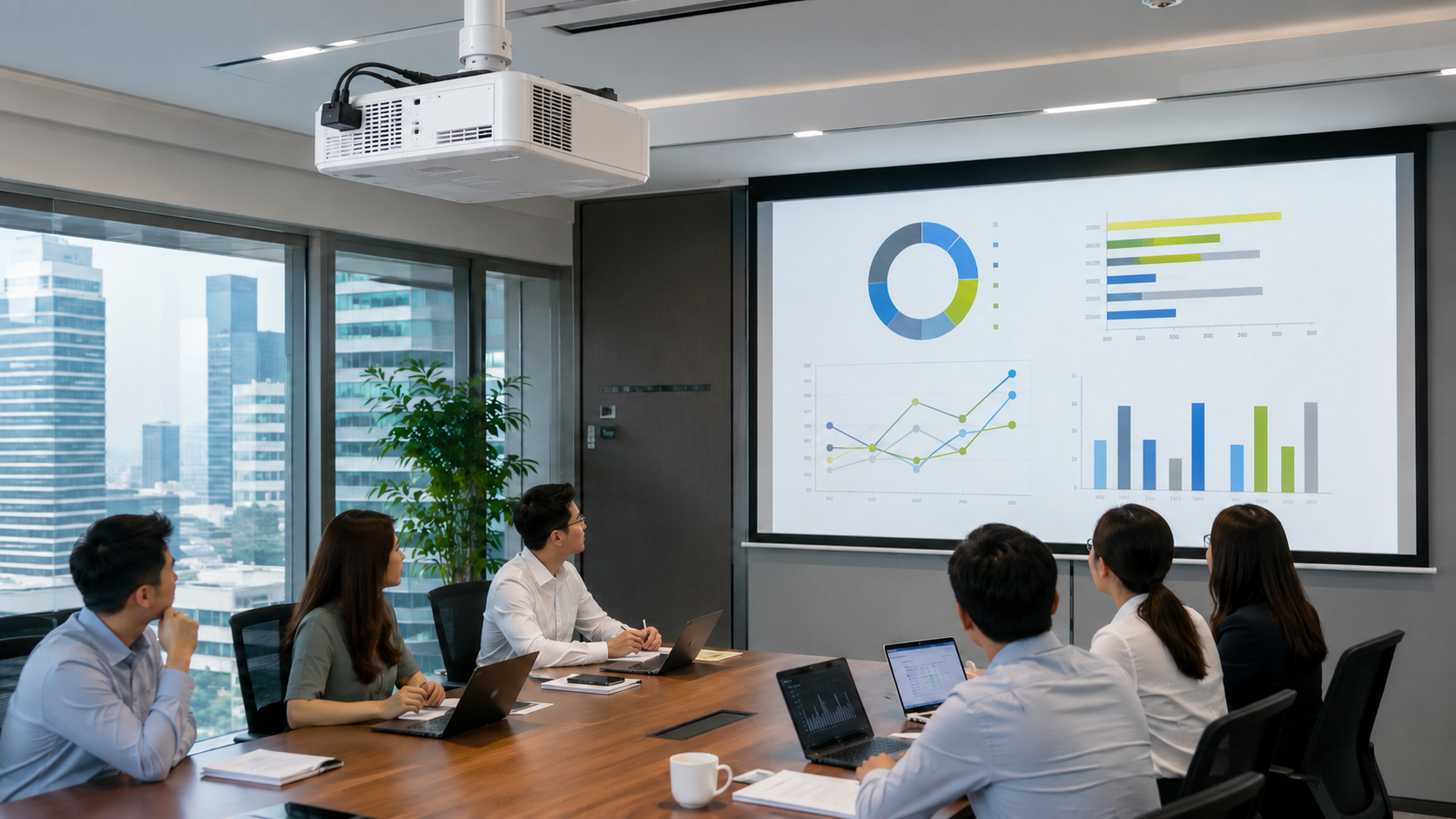
An Epson projector is a practical choice for Singapore offices, classrooms, training rooms, event spaces and digital signage installations that require bright, readable images.
Epson’s business projector range includes portable lamp projectors for everyday presentations and higher-brightness laser projectors for larger rooms and longer operating hours. The right model depends on your room size, ambient lighting, resolution requirements, installation distance and expected usage.
In this guide, we explain how to choose an Epson projector in Singapore and compare the models currently listed by Win-Pro.
What Is an Epson Projector?
An Epson projector is a display device that projects presentations, videos, documents and other visual content onto a screen or wall.
Epson business projectors commonly use 3LCD projection technology, which produces colour and white light simultaneously. This is useful in offices and classrooms where charts, photographs, videos and coloured text must remain clear under normal room lighting.
Depending on the model, an Epson projector may provide:
- WXGA or WUXGA resolution
- Lamp or laser illumination
- HDMI, USB and network connectivity
- Built-in or optional wireless presentation
- Horizontal and vertical keystone correction
- Optical zoom and lens-shift adjustment
- Projection sizes suitable for small rooms or large venues
For businesses, the most important specifications are brightness, resolution, light-source type, throw distance and connectivity.
Is an Epson Projector Good for Business Use?
Yes. An Epson projector is suitable for business use when the model is matched correctly to the room and application.
Business users typically choose Epson projectors for:
- Meeting-room presentations
- Microsoft PowerPoint and spreadsheet display
- Staff training and seminars
- Classroom teaching
- Reception and digital signage
- Events and multipurpose halls
- Large-screen video playback
- Collaborative presentations from laptops or mobile devices
A projector can produce a substantially larger image than a conventional meeting-room monitor. It may therefore be more practical for training rooms, classrooms and presentation spaces where attendees are seated farther from the display.
Which Epson Projector Should You Buy in Singapore?

The best Epson projector depends on where and how it will be used.
Epson EB-W51: For Everyday Office and Classroom Presentations
The Epson EB-W51 is an entry-level WXGA business projector suited to everyday presentations in small or medium-sized rooms.
Its widescreen WXGA resolution works well with modern laptops and common business presentation formats. It is a practical option for offices, classrooms and training spaces that need a conventional projector without the cost of a laser model.
Best for:
- Small and medium meeting rooms
- Classrooms
- General PowerPoint presentations
- Businesses with moderate projector usage
Epson EB-1785W: For Portable Presentations
The Epson EB-1785W is designed for users who need to move a projector between locations.
Its portable format makes it suitable for consultants, trainers, sales teams and organisations that do not have a permanently installed projector in every room.
Best for:
- Mobile presenters
- Trainers working at multiple sites
- Sales demonstrations
- Temporary meeting-room installations
- Users who prioritise portability
Epson EB-982W: For Brighter Business Rooms
The Epson EB-982W is a WXGA business projector intended for offices and classrooms that need stronger brightness and flexible connectivity.
It is more appropriate than an entry-level projector when presentations must remain readable in rooms where the lights cannot be fully dimmed.
Best for:
- Medium-sized meeting rooms
- Training centres
- Schools and classrooms
- Presentation rooms with ambient light
- Frequent office use
Epson EB-U50: For WUXGA Presentations and Digital Signage
The Epson EB-U50 provides WUXGA resolution, making it suitable for displaying detailed spreadsheets, dashboards, diagrams and Full HD content.
It can also be considered for retail displays, reception areas and digital signage applications where image detail and widescreen presentation are important.
Best for:
- Detailed business presentations
- Widescreen content
- Retail and reception displays
- Digital signage
- Offices displaying spreadsheets or technical diagrams
Epson EB-L520U: For Laser Projection and Longer Operating Hours
The Epson EB-L520U is a WUXGA laser projector intended for organisations that need higher brightness and reduced lamp-related maintenance.
A laser projector is generally better suited to frequent use, permanent installations and environments where replacing projector lamps would be inconvenient.
Best for:
- Larger meeting and training rooms
- Schools and lecture rooms
- Permanent ceiling installations
- Longer daily operating hours
- Organisations reducing routine lamp maintenance
Epson EB-L630U: For Large and Bright Presentation Spaces
The Epson EB-L630U is the highest-brightness model currently shown in Win-Pro’s Epson projector collection.
It combines WUXGA resolution with a laser light source and is intended for larger rooms where a conventional portable projector may not produce sufficient image brightness.
It also offers broader installation flexibility, making it more appropriate for permanent boardrooms, lecture halls and event spaces.
Best for:
- Large boardrooms
- Lecture halls
- Multipurpose halls
- Events and presentations
- Bright rooms
- Large projected images
- Permanent professional installations
Epson Projector Comparison
| Model | Resolution | Light Source | Recommended Use |
|---|---|---|---|
| Epson EB-W51 | WXGA | Lamp | Everyday meetings and classrooms |
| Epson EB-1785W | WXGA | Lamp | Portable presentations |
| Epson EB-982W | WXGA | Lamp | Brighter offices and training rooms |
| Epson EB-U50 | WUXGA | Lamp | Detailed presentations and digital signage |
| Epson EB-L520U | WUXGA | Laser | Frequent use and permanent installations |
| Epson EB-L630U | WUXGA | Laser | Large rooms and high-brightness applications |
Specifications, prices and availability should be confirmed before purchase.
What Brightness Does an Office Projector Need?
Projector brightness is measured in lumens. A higher lumen rating generally helps the projected image remain visible in rooms with more ambient light or on larger screens.
As a general guide:
- Small, dim meeting room: approximately 3,000 to 4,000 lumens
- Typical office or classroom: approximately 3,500 to 5,000 lumens
- Bright or medium-to-large room: approximately 5,000 to 6,000 lumens
- Large room or event space: 6,000 lumens or more may be appropriate
Brightness should not be selected in isolation. Screen size, projection distance, wall colour, room lighting and blinds all affect the final result.
For rooms with uncontrolled daylight, a brighter projector or a commercial display may be required.
WXGA vs WUXGA: Which Resolution Should You Choose?
WXGA
WXGA projectors typically produce a 1280 × 800 widescreen image.
WXGA is suitable for:
- Standard PowerPoint presentations
- Basic spreadsheets
- Classroom material
- General office video
- Cost-conscious deployments
WUXGA
WUXGA projectors typically produce a 1920 × 1200 image.
WUXGA is better for:
- Detailed spreadsheets
- Small text
- Technical drawings
- Dashboards
- High-resolution photographs
- Full HD video
- Large projected images
For a new permanent meeting-room installation, WUXGA is generally the more future-ready choice. WXGA remains sufficient for routine presentations where budget is the primary consideration.
Lamp vs Laser Epson Projector: Which Is Better?
A lamp projector usually has a lower initial purchase price. A laser projector generally costs more initially but requires less light-source maintenance.
Choose a lamp projector when:
- The projector is used only occasionally
- The purchase budget is limited
- Portability is important
- Replacing the lamp in future is acceptable
Choose a laser projector when:
- The projector operates for long hours
- It is installed on a high ceiling
- Downtime must be minimised
- Consistent brightness is important
- The projector will be used frequently
- The organisation prefers reduced lamp maintenance
For a small office that presents a few times each week, a lamp projector may be sufficient. For schools, training centres, event spaces and permanently installed meeting rooms, laser projection is usually more practical.
How Do You Choose the Correct Projector for a Meeting Room?
Before buying a projector, check the following:
1. Room Size
Measure the distance between the intended projector position and the screen.
A standard-throw projector may not produce the required screen size if the room is too shallow. Conversely, a projector mounted too far away may create an image larger than the available wall or screen.
2. Ambient Lighting
Check whether the room has windows, blinds and controllable lighting.
A projector that looks bright in a dark showroom may appear washed out in an office with direct daylight.
3. Screen Size
Determine the required diagonal screen size based on the room depth and seating distance.
Larger images require more brightness. Increasing the image size spreads the projector’s light across a greater area.
4. Resolution
Choose WXGA for standard presentations or WUXGA when displaying detailed content, small text and higher-resolution video.
5. Mounting Position
Decide whether the projector will be:
- Placed on a meeting table
- Moved between rooms
- Mounted on the ceiling
- Installed on a wall
- Used for a specialised signage application
Permanent installations may require a mounting bracket, longer HDMI cable, power point, cable containment and professional alignment.
6. Connectivity
Confirm the devices that will connect to the projector.
Common requirements include:
- HDMI
- USB
- VGA for legacy equipment
- Wired networking
- Wi-Fi
- Wireless screen mirroring
- Presentation systems
- Audio output
USB-C laptops may also require an appropriate USB-C-to-HDMI adapter or docking station.
7. Usage Hours
For frequent or extended daily use, consider a laser projector. For occasional meetings or portable presentations, a lamp projector may provide better initial value.
Can You Connect a Laptop Wirelessly to an Epson Projector?
Selected Epson projectors support built-in or optional wireless projection. Compatibility varies by model.
Wireless presentation may allow users to share content from:
- Windows laptops
- Mac computers
- Smartphones
- Tablets
- Supported screen-mirroring devices
However, wired HDMI remains the most predictable connection for permanent meeting rooms, particularly when displaying video or high-resolution content.
For a professional room setup, organisations may also use a dedicated wireless presentation solution so employees and visitors can share their screens without changing cables.
Do You Need a Projector Screen?
A projector can display an image on a plain wall, but a proper projector screen usually produces better and more consistent results.
A screen provides:
- A flat projection surface
- More accurate image geometry
- Better brightness uniformity
- Improved contrast
- A professional meeting-room appearance
A white wall may be sufficient for occasional internal use. Permanent meeting rooms, training rooms and customer-facing spaces should generally use an appropriate projection screen.
Is a Projector Better Than a TV for a Meeting Room?
A projector is often better when the organisation needs a very large image at a practical cost. A commercial TV or display may be better in a brightly lit room or where the screen will operate throughout the day.
Choose a projector when:
- A 100-inch or larger image is required
- The room is used mainly for presentations
- The lighting can be controlled
- A large display must fit within a defined budget
Choose a commercial display when:
- The room has strong daylight
- The screen operates for long periods
- Minimal setup is preferred
- High contrast is required at all times
- The required screen size is relatively moderate
Win-Pro can help assess whether a projector, meeting-room display or interactive display is the better option for your space.
Why Buy an Epson Projector from Win-Pro?
Win-Pro Consultancy has supplied IT hardware and business technology solutions in Singapore since 1993.
Businesses purchasing through Win-Pro can receive:
✅ Singapore warranty coverage where stated
✅ Pre-sales product advice
✅ Assistance selecting brightness and resolution
✅ Project pricing for business purchases
✅ Help with projector connectivity and accessories
✅ IT deployment and support services
✅ Local contact for stock, pricing and product enquiries
Because projector stock and product lifecycles can change, contact the Win-Pro team before ordering. We can check the latest availability and recommend an appropriate current model if the listed projector has been superseded.
-
Frequently Asked Questions: Epson Projectors in Singapore
Is Epson a good projector brand for businesses?
Yes. Epson business projectors are suitable for offices, classrooms, training rooms and larger presentation spaces. The range includes portable projectors for mobile presentations, brighter office models and WUXGA laser projectors for permanent installations.
How many lumens do I need for an office projector?
A small meeting room may require approximately 3,000 to 4,000 lumens. Medium-sized rooms, classrooms and spaces with more ambient light may require 4,000 to 6,000 lumens or more.
Screen size, room lighting, projection distance and wall or screen colour also affect the required brightness.
Should I buy a lamp or laser Epson projector?
Choose a lamp projector when the projector will be used occasionally and a lower initial purchase price is important.
Choose a laser projector for frequent use, permanent ceiling installations, longer operating hours and environments where reduced lamp maintenance is preferred.
Can an Epson projector connect wirelessly to a laptop?
Selected Epson projectors support built-in or optional wireless presentation. Compatibility depends on the projector model and the laptop or mobile device being used.
HDMI remains the most reliable connection for permanent meeting-room installations and high-resolution video.
Does Win-Pro provide Epson projector installation?
Win-Pro can assist with projector selection and related IT deployment requirements. Contact the team with your room dimensions, intended screen size, mounting requirements and existing equipment so the appropriate scope can be confirmed.
Ready to Upgrade Your Meeting Room?
Shop Epson Projectors in Singapore at Win-Pro →
Call: +65 6100 2100
Email: [email protected]
WhatsApp Win-Pro to confirm current stock, pricing and project requirements.Win-Pro Consultancy Pte Ltd
38 Jalan Pemimpin, #07-04 M38
Singapore 577178
Established 1993Related Products
- Epson Projectors
-
Projector Mounting Kits and Brackets
- Cables and Adapters
- Barco ClickShare Wireless Presentation Systems
- ScreenBeam Wireless Presentation Systems
Related Reading