
Security is a key concern for businesses in Singapore. It's important to know if Lenovo, Dell, and HP laptops are safer than those for home use.
Our study shows that business laptops have special security features not found in home models. They have chips for secure data, can detect tampering, and store data safely. They also meet tough MIL-STD 810G and 810H tests to last in harsh conditions.
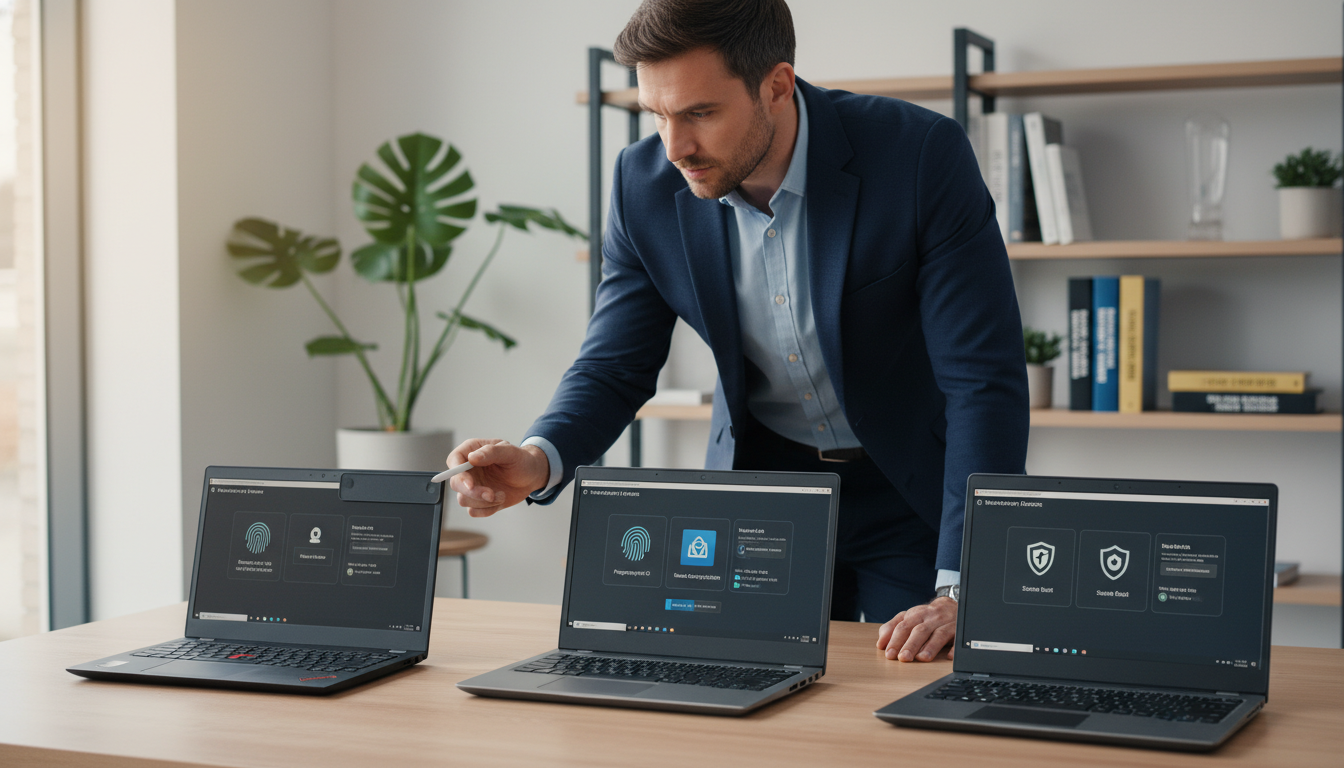
Business laptops come with advanced security like biometric scans and SmartCard readers. They also have Intel vPro and remote management tools. These help IT teams keep workforces secure.
For companies in Singapore dealing with sensitive data, the choice is clear. Investing in enterprise security is a smart move. It reduces risks and keeps data safe.
Why Enterprise Security Matters: Consumer vs Business Grade Protection

Businesses face threats that home security can't handle. They need special protection in enterprise mobile workstation platforms. In Singapore, companies must follow strict rules to keep data safe. Home laptops focus on being easy and cheap, while work laptops put security first.
The difference between home and work security is huge. Workplace technology solutions use many layers to protect against threats. This makes it much harder for hackers to get in, cutting down risks by up to 60%.
Businesses need strong security to meet rules and keep IT in control. Home devices can't handle large-scale business needs. This gap puts companies with sensitive info at risk.
TPM Chips and Hardware Encryption Standards
Trusted Platform Module 2.0 chips are key for work laptop solutions. They handle encryption keys on their own, away from the operating system. This creates a safe base that even hackers can't breach.
TPM chips work in a way that home security can't match. They keep important data safe from malware. This is a big help for Singapore companies dealing with sensitive info.
Business laptops use Windows 11 Pro with BitLocker for full-disk encryption. Home versions of Windows 11 don't have this. Office laptop systems keep all data safe, meeting strict rules for finance and healthcare in Singapore.
| Security Component | Consumer Laptops | Business Laptops | Enterprise Advantage |
|---|---|---|---|
| TPM 2.0 Support | Optional or absent | Standard integration | Hardware-based credential protection |
| Full-Disk Encryption | Third-party software required | BitLocker native support | Seamless data protection at rest |
| Biometric Authentication | Basic fingerprint readers | Multi-factor biometric systems | Enhanced access control accuracy |
| SmartCard Integration | Not available | Native support included | Corporate identity management |
BIOS-Level Security and Tamper Protection
Professional mobile workstations have security built into the firmware. This stops hackers from changing settings before the system starts. It's a strong defense that doesn't rely on software.
Secure boot checks the system's integrity, stopping rootkits. Tamper-detection alerts IT when someone tries to mess with the system. Business laptops like the Lenovo ThinkPad T14 Gen 6 and Asus ExpertBook P5 have these features, but home laptops often don't.
Remote Management and Compliance Features
Intel vPro lets IT manage devices from afar, even when they're off. This makes it easy to keep systems up to date and secure. It's a big help for companies in Singapore with remote workers.
Enterprise laptop systems help manage large groups of devices. They work with existing IT systems to keep everything in check. This makes it faster to respond to security threats, keeping business running smoothly.
These laptops also track if devices follow security rules, making it easier for audits. They have fewer unwanted programs, which helps avoid security risks. The Lenovo ThinkPad T14 Gen 6 and Asus ExpertBook P5 have features like repairable RAM and webcam covers.
Our work with Singapore companies shows that workplace technology solutions save money and time. They offer strong security and easy management, making businesses more efficient and safer.
Business Laptop Security Deep Dive: Brand Comparison
We've looked into how Lenovo, Dell, and HP keep corporate data safe. When companies buy commercial grade notebooks, knowing how each brand secures data is key. We've seen how each brand uses hardware, firmware, and management systems to protect data in professional settings.
In Singapore, businesses must follow strict data protection laws. The notebooks we've analyzed offer strong security features. Each brand has its own way of protecting data, combining hardware, firmware, and software.
Our comparison focuses on real security differences, not just marketing claims. We've checked specific security technologies and how they affect costs and risks. This helps businesses choose the right security for their needs.
ThinkPad Enterprise Protection Framework
Lenovo's ThinkPad series uses the ThinkShield security platform for top-notch protection. It has self-healing BIOS that fixes firmware attacks without IT help. This means less downtime and better security than consumer devices.
The ThinkPad X1 Carbon Gen 13 Aura Edition is light but secure. It has a discrete TPM 2.0 chip for encryption and USB ports for connectivity. It also has Lenovo's classic keyboard and trackpad.
ThinkPad notebooks have Match-on-Chip fingerprint technology for secure biometric data. This keeps biometric data safe even if the OS is compromised. The fingerprint reader is built into the power button for easy and secure login.
The Lneovo ThinkPad T14 Gen 6 offers fast performance and various ports, including Ethernet. It has slotted RAM for easy upgrades, making it last longer and saving money. It also has a 1200p display and Lenovo's signature features.
ThinkPad notebooks use Absolute Persistence Technology for tracking and recovery. This technology tracks devices even after a hard drive change. It's great for companies with remote workers.
ThinkPad laptops have physical webcam privacy shutters. This is better than software controls that can be bypassed. They also have optional smart card readers for extra security.
Dell Business Computing Security Architecture
Dell's Latitude laptops are known for being secure and durable. They use Dell SafeBIOS technology for self-healing BIOS. This keeps the BIOS safe from attacks and recovers automatically.
The Dell Precision workstation line is for heavy-duty computing. These workstations are tested for security and performance. They have certifications for professional use.
Dell's ControlVault security processor keeps authentication credentials safe. It handles fingerprint data and smart card authentication without exposing it to the OS. Even advanced malware can't get to the credentials.
Latitude laptops have contactless smart card readers for secure access. These readers meet government security standards. This is great for regulated industries in Singapore.
Dell's SafeData encryption solution manages encryption keys for distributed devices. This makes it easy to enforce security policies without user help. It reduces the effort needed for encryption.
Dell uses SafeID multi-factor authentication frameworks for secure login. These frameworks support various authentication methods. They adapt to the risk level, making security more effective.
HP Business Laptop Protection Ecosystem
HP's EliteBook series offers secure laptops with a premium feel. They have HP Sure Start Gen7 self-healing BIOS for BIOS protection. This BIOS continuously checks for attacks and fixes them automatically.
The HP ProBook line is for those who want value without sacrificing security. While cheaper, ProBook models have TPM chips and BIOS protection. This makes them a good choice for budget-conscious buyers.
HP's ZBook workstation series is for heavy-duty use. These laptops have all EliteBook security features and are certified for professional applications. They are tested for security and performance.
HP's HP Sure Sense AI-powered malware protection detects threats without updates. It uses deep learning to find unknown malware. Sure Sense works at the hardware level, protecting before the OS loads.
The HP Sure Click browser isolation technology creates secure containers for web browsing. It prevents malware from reaching the host OS. This protects against web-based threats.
HP EliteBook and ZBook models have HP Tamper Lock sensors for physical security. These sensors detect tampering attempts. If detected, the device can lock or alert administrators.
HP's optional privacy screens are great for mobile workers. They block unauthorized viewing, keeping data safe. The privacy screen turns on electronically, without the need for physical attachments.
The HP Client Security Manager manages security policies for devices. Administrators can set policies from one place. This simplifies security management in diverse environments.
| Security Feature | Lenovo ThinkPad | Dell Latitude/Precision | HP EliteBook/ZBook |
|---|---|---|---|
| Self-Healing BIOS | ThinkShield Auto-Recovery | SafeBIOS with Validation | Sure Start Gen7 |
| Credential Isolation | Match-on-Chip Fingerprint | ControlVault Processor | Sure Start Hardware Root |
| Advanced Threat Detection | Absolute Persistence | SafeData Encryption | Sure Sense AI Protection |
| Physical Security | Privacy Shutter, Smart Card | Contactless Reader, FIPS 201 | Tamper Lock, Privacy Screen |
| Management Platform | ThinkShield Console | SafeID Framework | Client Security Manager |
Our analysis shows that these laptops offer much stronger security than consumer devices. Each brand has its own way to protect data. Businesses should choose based on their specific needs and compliance requirements in Singapore.
Investment Worth for Singapore Corporate Environments
When looking at productivity notebooks, we must consider more than just the cost. Business class notebooks can save money by reducing security issues. They stop about 60% of common attacks, unlike regular laptops.
Corporate laptop solutions often come with long warranties and fast service. This means less time lost due to tech problems. It also saves money on IT support by about 35% each year.
In Singapore, productivity laptops for business help meet data protection laws. Not following these laws can cost a lot. These laptops also hold their value better, keeping 40-50% of their worth after three years.
The Asus ExpertBook P5 is a great choice for businesses. It has high-quality screens and is light, yet keeps data safe. Our research shows that office work computers with strong builds and support protect valuable information in Singapore's economy.
We guide companies to invest in security based on their risks and needs. Choosing the right laptops can improve security and save money. This is done by cutting down on security costs and making work more efficient.
FAQ
What specific security features differentiate business laptops from consumer models?
Business laptops have special security features that consumer models don't. They have Trusted Platform Module 2.0 chips for extra security. This chip works on its own, even if the software gets hacked.
Commercial laptops also have BIOS-level security. This means they can detect tampering and prevent unauthorized changes. They use full-disk encryption and biometric authentication, like fingerprint readers and facial recognition.
These features help prevent about 60% of common attacks. This is important for companies in Singapore that handle sensitive data.
How does hardware encryption in business laptops protect data differently than software encryption?
Business laptops use special hardware for encryption. This hardware, like TPM 2.0 chips, stores encryption keys safely. It works before the operating system loads, making it more secure than software encryption.
They also use BitLocker for full-disk encryption. This keeps all data safe, both at rest and in transit. This is a big difference from consumer laptops, which often rely on software encryption.
Business laptops are designed to keep data safe, even in tough environments. This is key for companies in Singapore that need to protect sensitive information.
Can IT departments manage business laptops remotely for security updates and compliance?
Yes, IT teams can manage business laptops from afar. They use Intel vPro technology, which consumer devices don't have. This lets them update and secure laptops even when they're off or have failed operating systems.
They can also do things like patch management and compliance checks remotely. This is a big help for companies in Singapore with remote workers.
Remote management saves IT teams a lot of time and money. It makes keeping devices secure and up-to-date much easier.
What is BIOS-level security and why does it matter for business laptops?
BIOS-level security is a basic protection for laptops. It's like a lock on the laptop's core. It keeps the laptop safe from unauthorized changes and malware.
Business laptops have special BIOS security. This includes password protection and secure boot. It makes sure the laptop starts up safely and securely.
This security is important because it stops attacks before they start. It's a key part of keeping business laptops safe.
Do Lenovo ThinkPad models offer different security features than Dell Latitude or HP EliteBook?
Yes, each brand has its own security features. Lenovo ThinkPad has ThinkShield, Dell has ControlVault, and HP has Sure Sense. These features help protect against different types of attacks.
ThinkPad also has fingerprint readers and facial recognition. Dell and HP have smart card readers and secure boot. These features make each brand's laptops more secure.
Choosing the right brand is important for keeping data safe. It depends on the company's specific needs and risks.
Are business laptops MIL-STD tested and what does this certification mean for security?
Yes, business laptops go through tough tests. They meet MIL-STD 810G and 810H standards. These tests check how well the laptops can handle extreme conditions.
These tests are important for security. They make sure the laptops can keep their security features working, even in harsh environments. This is key for companies in Singapore with mobile workers.
Having MIL-STD certification means the laptops are reliable and secure. It's a sign of quality and protection.
What biometric authentication systems do business laptops include as standard features?
Business laptops come with advanced biometric systems. They have fingerprint readers and facial recognition. These systems make it hard for unauthorized access.
Lenovo ThinkPad has fingerprint readers in the power button. Dell Latitude has contactless smart card readers. HP EliteBook has optional privacy screens.
These features are important for keeping data safe. They make it harder for hackers to get in.
How do business laptops help Singapore companies comply with Personal Data Protection Act requirements?
Business laptops help companies meet data protection laws. They have full-disk encryption and remote wipe capabilities. These features keep data safe and prevent breaches.
They also have TPM chips and BIOS-level security. These features make it hard for hackers to get in. They also keep the laptop's core safe.
Business laptops are designed to meet strict security standards. They help companies in Singapore protect their data and avoid fines.
What is Intel vPro technology and why is it only available on business laptops?
Intel vPro is a set of features for business laptops. It includes remote management and security tools. It's not available on consumer laptops.
It helps IT teams manage laptops from afar. They can update and secure laptops even when they're off or have failed operating systems.
Intel vPro is important for companies in Singapore. It helps them keep their laptops secure and up-to-date.
Do business laptops maintain better resale value than consumer models?
Yes, business laptops hold their value better. They have better build quality and security features. This makes them more valuable in the long run.
They also have longer warranties and support. This adds to their value. Companies in Singapore can sell or trade them for a good price.
Business laptops are a smart investment. They save money in the long run and keep data safe.
What warranty and support differences exist between business and consumer laptop models?
Business laptops have better warranties and support. They come with three-year warranties and next-business-day service. Consumer laptops usually have one-year warranties and longer wait times.
Business laptops also have dedicated support channels. This means faster help and better solutions. It's important for companies in Singapore with remote workers.
Warranty and support are key for keeping laptops running smoothly. They help companies avoid downtime and keep their laptops secure.
Can business laptops prevent common cyberattack methods that target Singapore companies?
Yes, business laptops have strong security features. They use encryption, biometric authentication, and browser isolation. These features prevent many types of attacks.
They also have BIOS-level security and secure boot. This stops malware and unauthorized changes. It's important for companies in Singapore to keep their data safe.
Business laptops are designed to protect against cyber threats. They help companies in Singapore keep their data and systems secure.
How much do business laptops typically cost compared to consumer models with similar specifications?
Business laptops are more expensive upfront. But they offer better value in the long run. They have stronger security and last longer.
They also save money on IT support and security incidents. This makes them a smart choice for companies in Singapore.
Business laptops are an investment in security and productivity. They help companies protect their data and stay competitive.
What specific security certifications should Singapore businesses look for in professional laptops?
Singapore businesses should look for security certifications. Look for FIPS 140-2, FIPS 201, Common Criteria EAL, and PCI DSS. These certifications show the laptop meets high security standards.
These certifications are important for keeping data safe. They help companies in Singapore meet their security obligations and protect their data.
Choosing laptops with the right certifications is important. It shows a commitment to security and helps meet regulatory requirements.
Do business laptops include physical security features beyond encryption and passwords?
Yes, business laptops have extra physical security features. They have Kensington lock slots, intrusion sensors, and privacy screens. These features help prevent theft and unauthorized access.
They also have reinforced hinges and spill-resistant keyboards. These features help protect the laptop from damage. They are important for companies in Singapore with mobile workers.
Business laptops are designed to be secure. They have a range of features to protect against physical threats and unauthorized access.